Building Browser Tools with Claude Code
I have been an admirer of Simon Willison’s tools site for a while now. On his website you can find more than a hundred single-file HTML + JavaScript tools he has built using LLMs. They are mostly self-contained HTML + JavaScript files.
I always wanted something of my own, specific tools that I use often and would be handy to have on my website. Though I never got around to actually writing them. I am an AI/ML engineer and HTML and JavaScript are not my strongest suits. A few days ago I decided to just start building them using Claude Code and see how far I could get. Below are some of the tools I have built for myself and you might find them useful too.
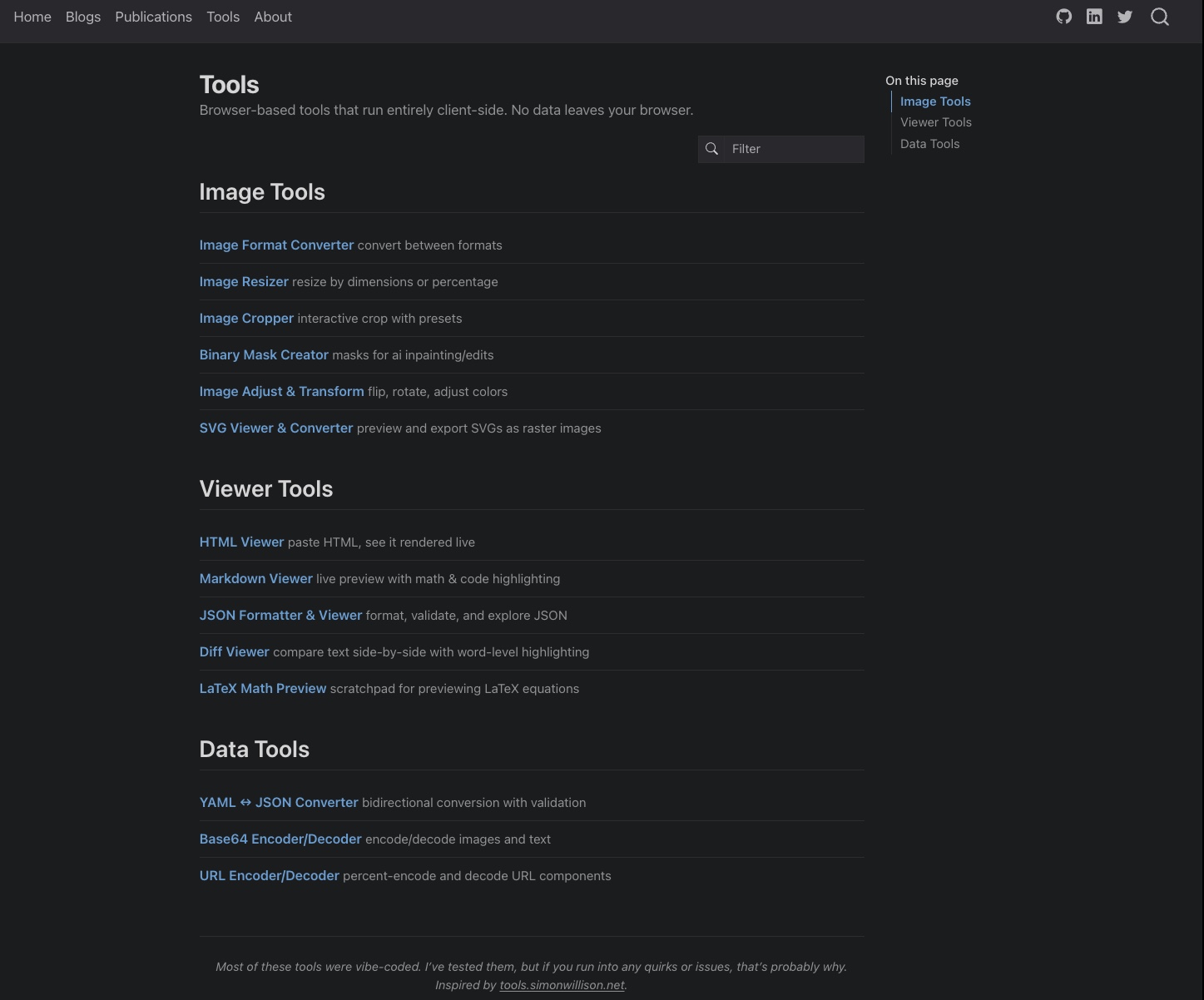
The Tools
Here is what is there so far, grouped by category. All tools support drag-and-drop for file input and run entirely in the browser (nothing leaves your machine).
Image Tools
- Image Format Converter: Convert between PNG, JPEG, and WebP with transparency handling.
- Image Resizer: Resize imagesby by dimensions, aspect ratio and percentage.
- Image Cropper: Interactive crop with draggable selection and aspect ratio presets.
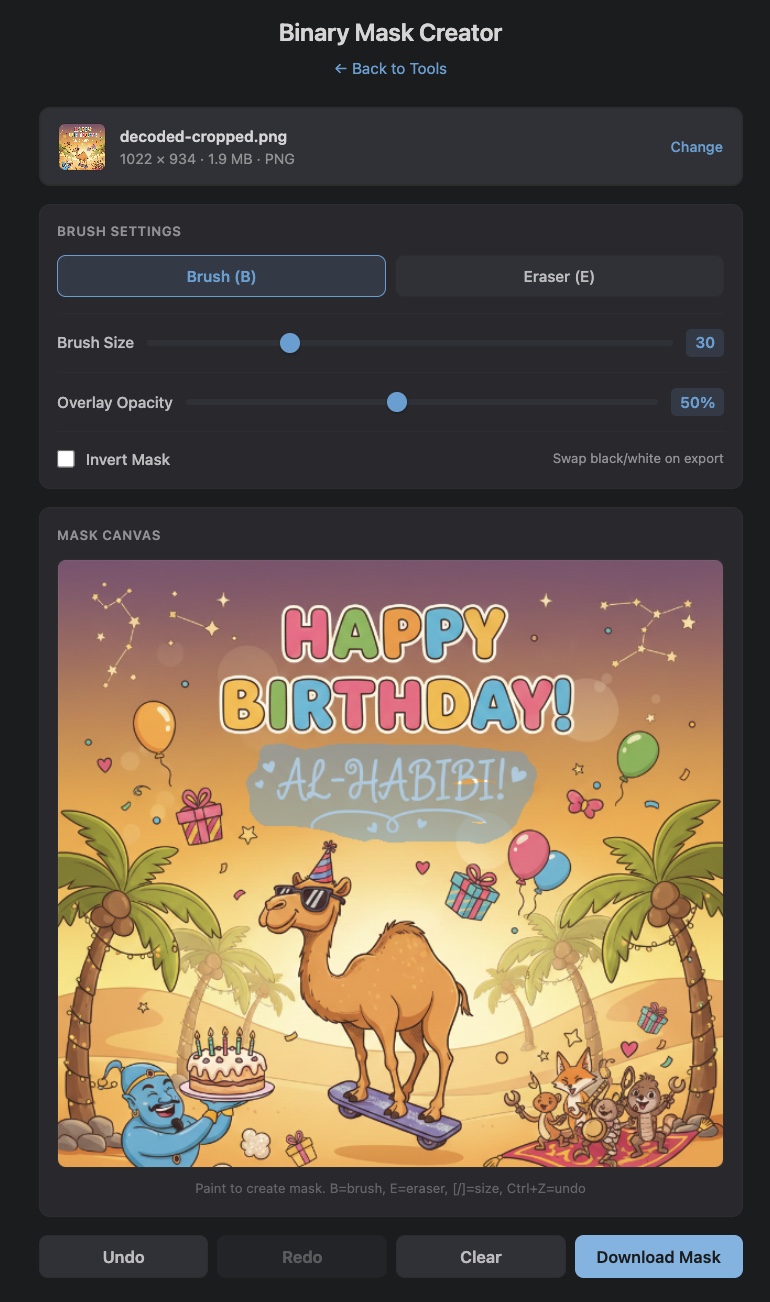
- Binary Mask Creator: Paint binary black and white masks for AI inpainting and fill models.
- Image Adjust & Transform: Flip, rotate, invert, grayscale, brightness, and contrast adjustments.
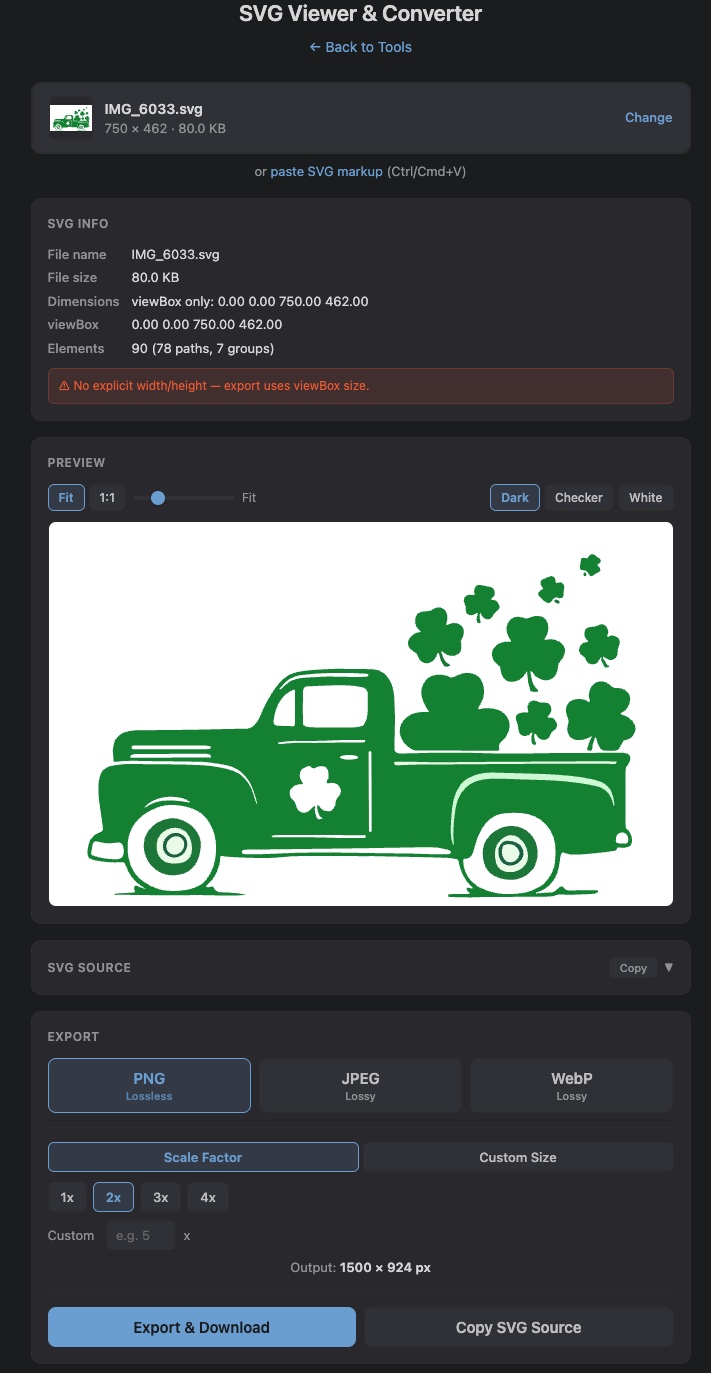
- SVG Viewer & Converter: Preview SVGs, inspect metadata, export to raster formats.
I find the Binary Mask Creator pretty handy, especially when working with inpainting models like FLUX Fill or Ideogram v3. Creating clean masks is usually a bit of a pain using some clunky web app. The SVG Viewer is another one I reach for often to preview and convert SVGs on the go (saves me time).
|
|
Binary Mask Creator and SVG Viewer & Converter
Viewer Tools
- HTML Viewer: Paste HTML and see it rendered in a sandboxed frame.
- Markdown Viewer: Live markdown preview with syntax highlighting and latex math support.
- JSON Formatter & Viewer: Format, validate, collapsible tree view, and search.
- Diff Viewer: Side-by-side and unified diff with word-level highlighting.
- LaTeX Math Preview: Live math latex rendering with a symbol palette and saved snippets.
The HTML and Markdown viewers comes in handy especially if you are working with an OCR model and quickly want to see the generated preview of an image or PDF. And whenever I am working with math equations, the LaTeX Preview is a nice scratchpad where I can quickly test out an equation and make sure it renders correctly.
Data Tools
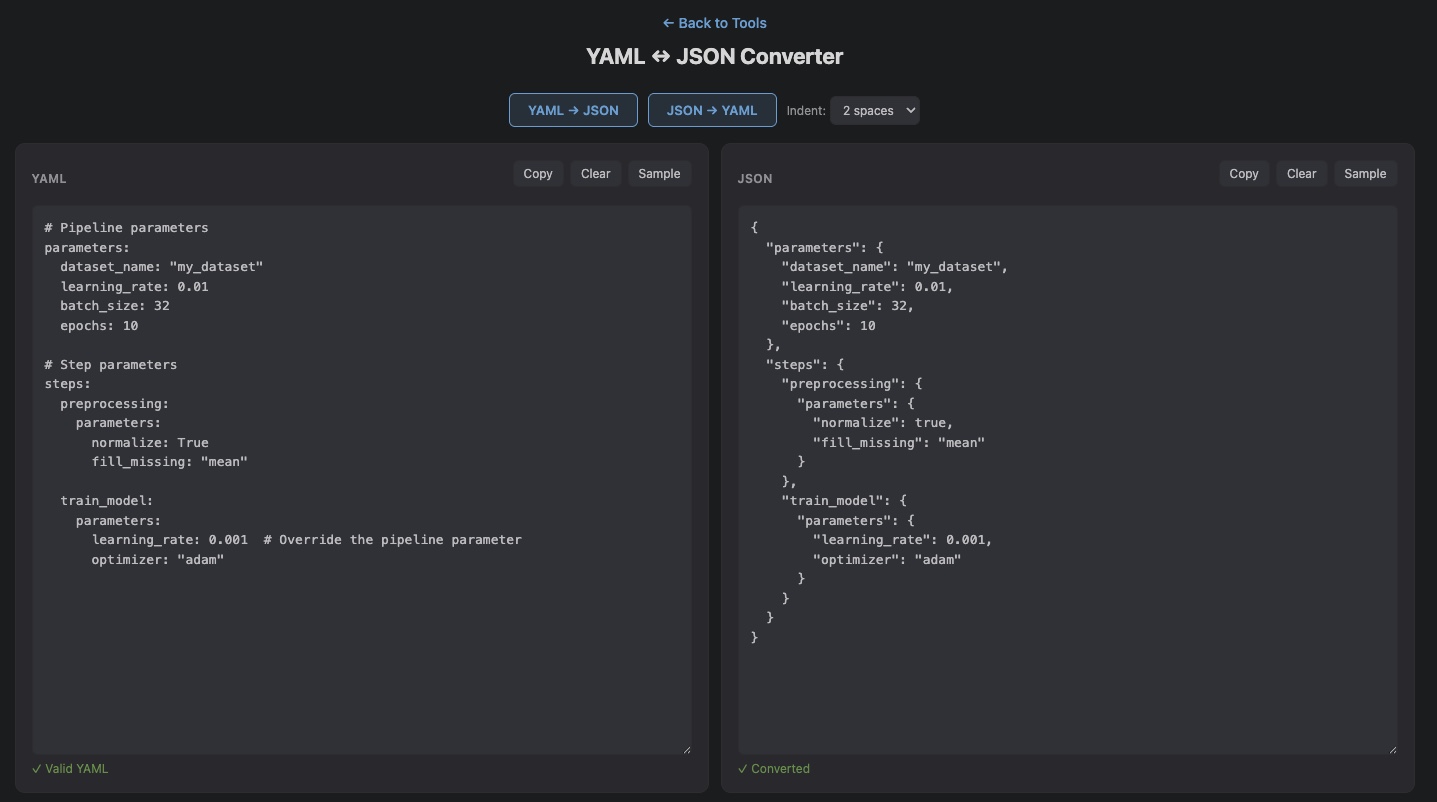
- YAML/JSON Converter: Bidirectional conversion with validation and configurable indentation.
- Base64 Encoder/Decoder: Encode/decode images and text with image preview.
- URL Encoder/Decoder: Percent encode and decode useful for API calls and debugging.
The YAML/JSON converter I like a lot, especially when working with training configs. The Base64 tool is another one I use often when working with llm/image-gen APIs, sometimes they send back base64 encoded images or require base64 encoded images as input and I can directly do that here.
For what it is worth, I do have all of these set up as skills in my Claude Code setup too. But it is always nice to have something in the browser where you can quickly drag and drop an image and get the result without opening a terminal session or burning tokens.
How I Built Them
Nathan Lambert wrote a good piece on how Claude Code hits different and Sergey Karayev put it well when he said Claude Code with Opus is “moving software creation from an artisanal, craftsman activity to a true industrial process”. I think that captures it. The bottleneck is no longer writing the code, it is planning, designing and validating.
When I was building these tools, most of my time went into two things. First, planning out what tools to build with focus on being simple, standalone HTML files that serve my purpose. I would plan everything out, write a detailed plan of tools description and then fire multiple sub-agents in Claude Code to build them in parallel. Second, doing that last ~10% of the work where you polish things according to your needs, making sure there are no missing libraries, no edge cases falling through, testing each tool to make sure it actually works as expected.
I did not sit down and write HTML or JavaScript. I spent my time figuring out what these tools should do and then verifying that they do it correctly. Without Claude Code I would not have attempted this not because the tools are complex but because HTML and JavaScript are not what I work in daily. With Claude Code, I could just focus on the requirements and planning part, ensure a correct test path, and let it handle the implementation.
Try Them Out
All tools are at aayushgarg.dev/tools. If you have ideas for useful tools, feel free to reach out.